How to Use Power Smart App Download in Pakistan – Complete Guide
The Power Smart App is an official mobile application launched by WAPDA and Pakistan’s electricity distribution companies (DISCOs) to make electricity meter reading submission easier and more transparent. With this app, consumers across Pakistan can now submit their monthly meter readings themselves, helping to avoid overbilling, late meter entries, and inaccurate estimations.
Whether you are a customer of LESCO, MEPCO, FESCO, IESCO, or any other distribution company, the Power Smart App can streamline your billing process right from your smartphone.
What is the Power Smart App?
The Power Smart App is a government-approved digital platform launched under the guidance of the Power Division, Ministry of Energy (Government of Pakistan). Its core purpose is to empower consumers by allowing them to:
- Submit their own meter readings before the meter reader visits.
- Get accurate electricity bills based on actual consumption.
- Avoid estimated or average billing.
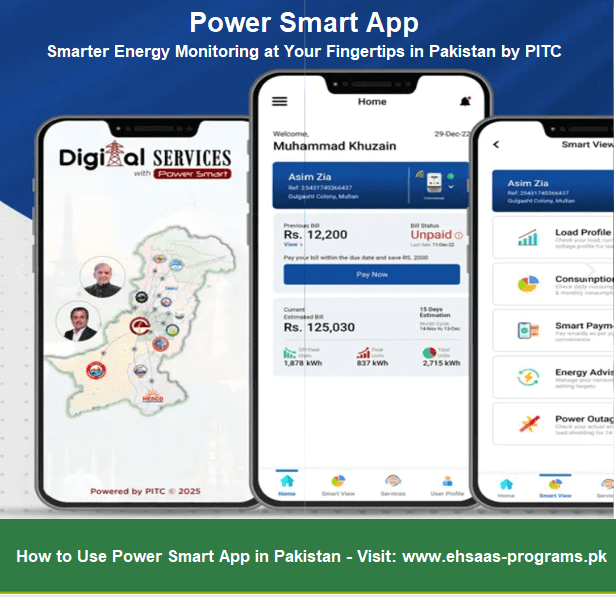
- Monitor consumption trends and billing history.
- Report meter-related issues directly to the relevant department.
This app is currently being adopted by several DISCOs, and its rollout is part of the government’s larger plan to digitize public services in the energy sector.
 Also Read: Apna Meter Apni Reading App Scheme 2025
How to Download the Power Smart App
You can download the Power Smart App for free on both Android and iOS platforms.
For Android:
- Open Google Play Store.
- Search “Power Smart” by Power Information Technology Company (PITC).
- Click Install.

For iPhone/iOS:
- Visit Apple App Store.
- Search for “Power Smart” and install the official version developed by PITC.

Note: Always verify that the app is published by PITC to avoid downloading unofficial or fake versions.
How to Submit Meter Reading in Power Smart App (Step-by-Step Guide)
- Open the App and register using your Customer Reference Number (CRN) or Consumer ID, which is printed on your electricity bill.
- After logging in, go to the “Submit Meter Reading” section.
- Select your electricity company (e.g., LESCO, FESCO, MEPCO).
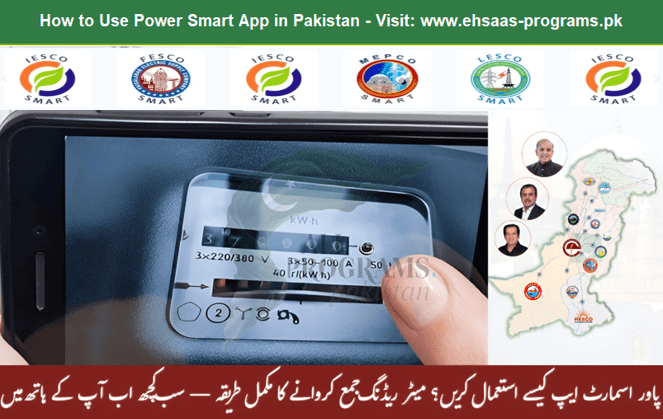
- Take a clear photo of your electricity meter showing the current reading.
- Enter the numeric reading displayed on your meter.
- Upload the image and click Submit.
You will get a confirmation notification and an estimated bill based on your submitted reading.
Benefits of Submitting Meter Reading via Power Smart App
- Accurate Bills: No more inflated or estimated bills.
- Transparency: You control your meter reading process.
- Time Saving: No need to visit customer service centers.
- Early Submission: Submit your reading before the meter reader arrives.
- Complaint Tracking: Raise and track billing complaints easily.
Who Can Use the Power Smart App?
This app is available for electricity consumers across all major cities and regions of Pakistan including:
- Lahore (LESCO)
- Faisalabad (FESCO)
- Multan (MEPCO)
- Islamabad (IESCO)
- Peshawar (PESCO)
- Hyderabad (HESCO)
- Quetta (QESCO)
- Tribal Areas (TESCO)
Each DISCO is gradually integrating the app into its system to ensure all customers have access.
Power Smart App: Latest Updates (2025)
As of July 2025:
- The app now supports multi-account management for users with multiple electricity connections.
- You can now receive bill estimates instantly after submitting your reading.
- Integration with Rabta App and e-Pakistan services is in testing phase.
- DISCOs are beginning to send reminders through the app before your meter reading date.
Also Read: 8171 BISP July 2025 Payment
Frequently Asked Questions (FAQs)
A smart application is a software program that delivers intelligent features and enhances user experience by utilizing cutting-edge technology such as artificial intelligence (AI), machine learning (ML), and data analytics.
Open the Power Apps site, and then select Try free. If you're using a phone, select the menu in the top-right corner, and then select Try free. In the middle of the screen, select Pricing, and then select Start free trial.
- Install Smart Connect app on your tablet.
- Connect your phone and tablet to the same Wi-Fi network.
- On your phone, open the Smart Connect app or quick tile.
- Tap Add a device > Tablet > Continue pairing.
- Open Smart Connect on your tablet, then tap Add a device > Show QR code to pair another device.
Yes, it is completely free and available for both Android and iOS users.
Currently, the app is primarily for residential and small commercial users, but more categories may be added soon.
If the submitted image is unclear or reading is mismatched, your entry may be rejected. You can re-submit with a clearer photo.
Yes, but you will receive a bill based on your submitted reading, and it can be paid online via JazzCash, Easypaisa, bank apps, or Nadra e-Sahulat centers.
Yes. There is a dedicated section to report damaged or stuck meters, with options to upload photos and write complaints.
Final Words
The Power Smart App is a major step towards digital Pakistan and consumer empowerment in the energy sector. With the rising need for transparent billing, especially in areas where overbilling is common, this app gives every Pakistani household a simple tool to take control of their electricity consumption.
As Pakistan moves towards smart governance, tools like the Power Smart App will play a vital role in improving public trust and service delivery.